Flooring quantities · Mac and Windows
Flooring takeoff software for room areas and exclusions.
Measure floor finishes from PDF plans, record exclusions, and export room quantities before applying waste and pack coverage.
Area takeoff is the starting quantity. Installation pattern, roll layout, seams, manufacturer guidance, and ordering allowances require separate decisions.
Free with no trial timer: markup, review, calibration, 3 hand-created measurements per document, and Revision Package viewing. Symbol Search, plugins, and Revision Package changes or publishing require Pro.
Quick answer
How do you estimate flooring from a PDF plan?
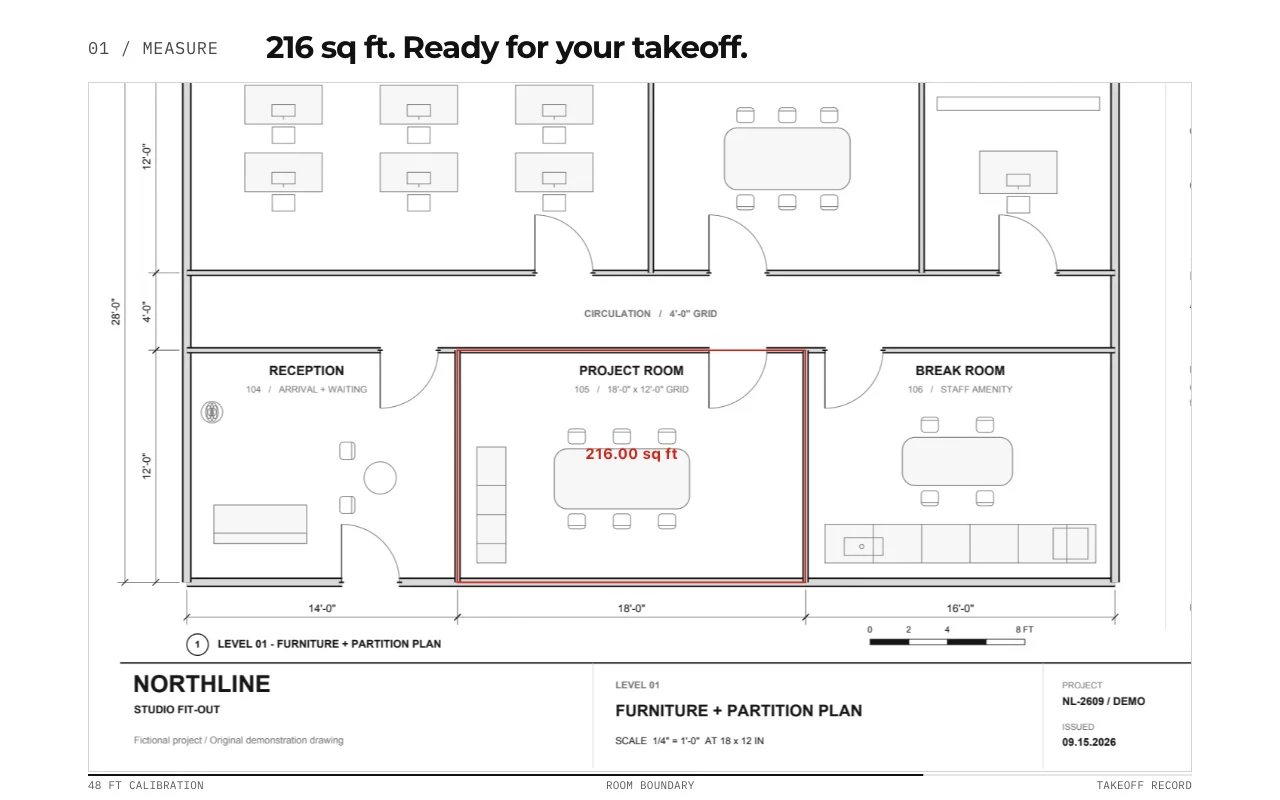
Calibrate the plan, measure each finish boundary, and subtract excluded areas to obtain net floor quantities. In PolyPDF, review room quantities before exporting the worksheet. Then apply the waste allowance required for the product and installation and round up to whole packs. The free website calculator performs that purchasing calculation; it does not optimize roll layouts, seams, or cuts.
Calculate waste and whole packs →01 / WHY
Keep net floor area separate from the amount you order.
Measure the finish boundary and remove excluded areas first. Then apply an explicit waste allowance and round to whole packs. Keeping these stages separate makes changes easier to check.
From drawing to quantity
Measure net area before adding waste.
The synthetic F-101 practice sheet contains a 240 sq ft room with a 12 sq ft exclusion and a separate 180 sq ft room: 408 sq ft net. At a chosen 10% waste allowance, the purchasing area is 448.8 sq ft.
Verified in PolyPDF 1.6.6 build 38 on Mac: trace the first room around the edge-connected exclusion for 228 sq ft, then add 180 sq ft. The saved PDF reopens at 408 sq ft and the CSV/PDF worksheet exports match.
This sample records a Mac test of the stated version. Windows verification is pending. Quantities exclude installation waste until you add it in the calculator.
Calculate waste and packs →Practice package
- Download the flooring drawing · PDF
- Reference quantities · CSV
- Calculation and checking sheet · PDF
- Saved Mac measurements · PDF
- Mac worksheet export · CSV
- Mac summary export · PDF
Free downloads. No account or email required. Synthetic drawings are for practice, not construction.
02 / WORKFLOW
From source PDF to a result you can review.
- 01
Verify scale and finish scope
Confirm the drawing revision and finish schedule. Calibrate using a known dimension and verify a second span.
- 02
Trace room boundaries
Create a separate subject or record for each finish and room. Check whether the project measurement rules include door recesses and other small areas.
- 03
Subtract exclusions
Review cutouts for shafts, voids, and areas receiving a different finish. Check the net area after changing a boundary or cutout.
- 04
Calculate purchasing quantities
Export the reviewed quantities, then use the flooring calculator with your chosen waste allowance and product pack coverage.
03 / FIT
Room quantities you can trace back to the plan.
- Review gross area, exclusions, and net area separately.
- Keep different floor finishes in distinct subjects.
- Export room quantities to CSV or PDF.
- Apply waste and whole-pack rounding in the free website calculator.
Start with the free app. Pay once to unlock every Pro workflow.
Use PolyPDF 1.x forever on up to 3 Mac or Windows computers. Every PolyPDF 1.x update is included. Future major versions may be optional paid upgrades.
14-day money-back guarantee. Try PolyPDF on your own drawings, risk-free.
04 / FAQ
Questions before you test it.
Does this optimize carpet rolls or seams?
This page covers measured area takeoff. It does not claim optimized roll layouts, seam planning, or manufacturer-specific installation design.
How much waste should I allow?
Use the product instructions, laying pattern, room geometry, and project requirements. The calculator starts at an editable 10% example; that is not a universal recommendation.
Can I subtract openings?
PolyPDF supports area cutout workflows. Inspect the boundary and resulting net quantity, and document what you excluded.