Measure drawings on macOS
Measure a PDF on Mac without redrawing it in CAD.
Open the plan, set its scale, and pull real distances, areas, perimeters, angles, and counts directly from the PDF in a native desktop app.
Start with the free Mac download and validate scale accuracy on a drawing you already know. Upgrade only when you need more than 3 hand-created measurements in a document.
01 / WHY
The scale is what turns pixels into useful dimensions.
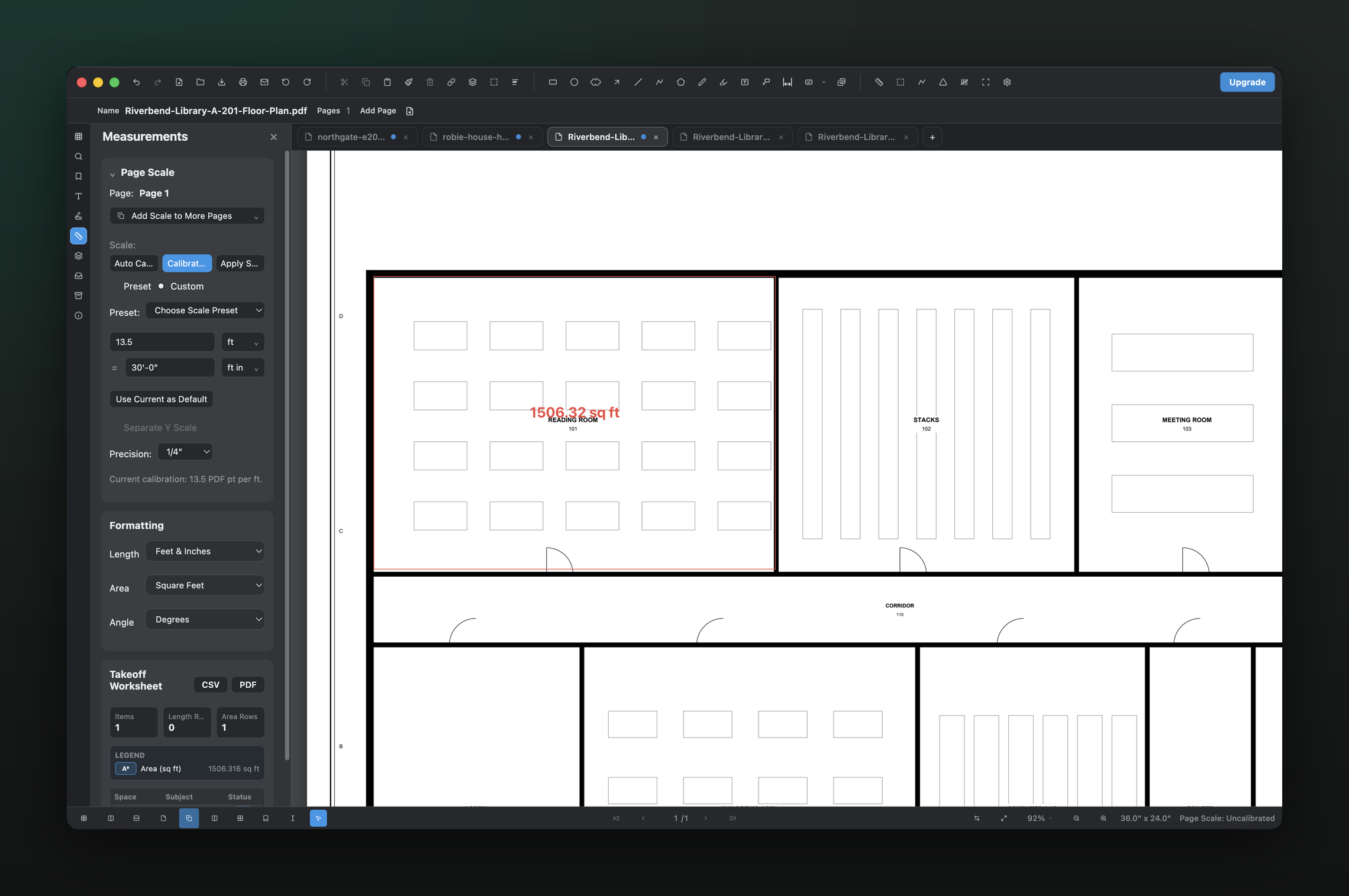
A PDF viewer can show a drawing, but the measurement only becomes meaningful after the page is calibrated. PolyPDF lets you use a printed scale preset or define a known distance, then applies that calibration to the measurements you place on the sheet.
02 / WORKFLOW
From source PDF to a result you can review.
- 01
Open the PDF on your Mac
Launch PolyPDF from Applications and open the plan set from Finder or from inside the app.
- 02
Set or verify the scale
Select the sheet’s architectural or engineering scale, or calibrate against a dimension printed on the drawing.
- 03
Choose the quantity you need
Use distance for runs, area for finishes, perimeter for boundaries, angle for geometry, or count for repeated items.
- 04
Read and export the result
Keep the value on the drawing, review it in the worksheet, and export when the result needs to move into another process.
03 / WATCH
Watch a calibrated measurement move into the takeoff worksheet.
See scale calibration, quantity placement, worksheet organization, and export in the current PolyPDF interface.
Both versions use current PolyPDF product captures. Captions are available in the player.
04 / FIT
A direct Mac workflow for everyday drawing questions.
- Measures from the PDF without uploading the drawing to a browser service.
- Supports common architectural and engineering scales plus custom calibration.
- Shows measurement labels directly on the sheet for visual verification.
- Keeps related quantities organized in the Measurements panel.
- Includes the complete measurement workflow in the free download for evaluation.
Try the full workflow free. Pay only to remove the hand-created measurement cap.
Use PolyPDF 1.x forever on up to 3 Mac or Windows computers. Every PolyPDF 1.x update is included. Future major versions may be optional paid upgrades.
Founder pricing is available until September 10, 2026 at 11:59 p.m. ET or after 100 fulfilled licenses, whichever comes first.
05 / FAQ
Questions before you test it.
How do I know a PDF measurement is accurate?
Start by calibrating against the stated sheet scale or a known printed dimension. Then measure that known distance again as a check before using the page for quantities.
Can PolyPDF measure scanned drawings?
You can measure a raster or scanned drawing when it has a reliable scale or known reference distance. The source image quality and the accuracy of that reference still matter.
Does PolyPDF upload my plans?
The desktop app processes PDF content locally. Your files stay on your computer unless you choose to export, share, or sync them.